
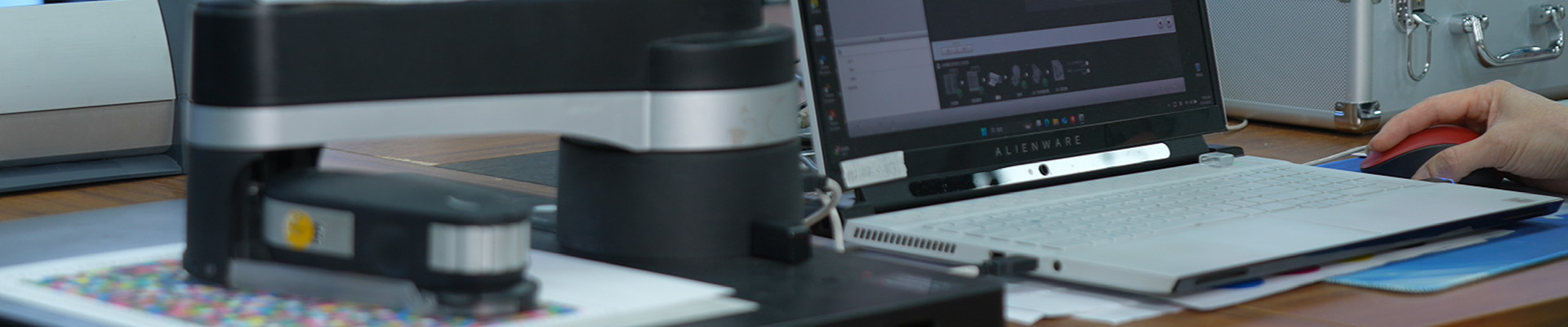
Yesterday, the professional team from CGS China was invited to our company for an in-depth exchange focusing on color and technology.
During the testing session, both parties utilized CGS professional software to conduct a high-precision comparative evaluation of our aqueous pigment ink against Epson OEM ink, validating the outstanding performance of our compatible ink with real data. Following the test, CGS experts provided a systematic software operation training for our engineering team, empowering them to further enhance their color management capabilities.
This exchange not only verified our product's strength but also laid a solid foundation for continuous product optimization and the pursuit of ultimate color accuracy. Moving forward, we will continue to be driven by technology, providing you with superior ink solutions!
Test content
EPSON P9380 original ink and Junma ink match international target Gracol2006 simultaneously
Wide color gamut printing test
Analysis of the Differences between EPSON Original Ink and Junma Ink
Test Process
- Linear calibration of printer
- 4-color matching
- Data validation after matching
- Print beta file
- Wide color gamut printing test
- Comparison and analysis of color gamut between EPSON original ink and Junma ink
Color management elements
1. CGS color management software
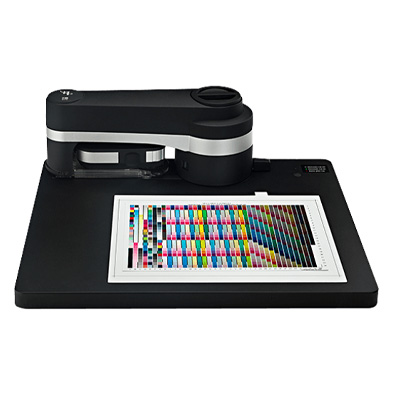
2. Measuring instruments
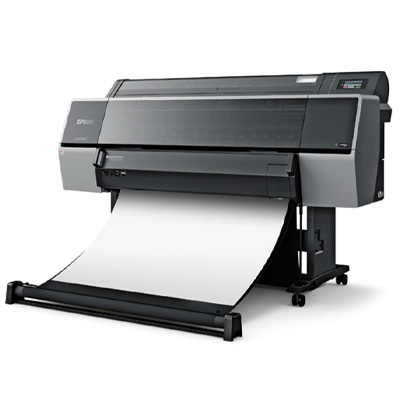
3. Digital printer
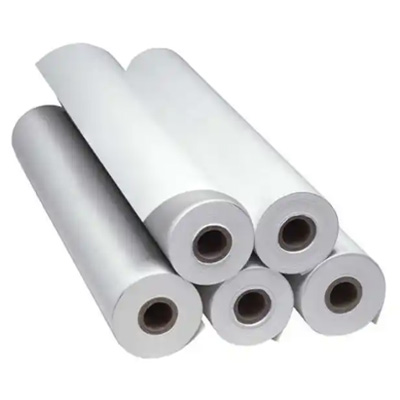
4. Printing materials
Testing process -4 color matching
1. EPSON P9380 printer original ink matching Gracol2006 standard
Printing Material: FANTAC UH180A Digital Sample Paper
1. 1 Detect the OBA content (fluorescent whitening agent) of printing paper and determine the measurement mode
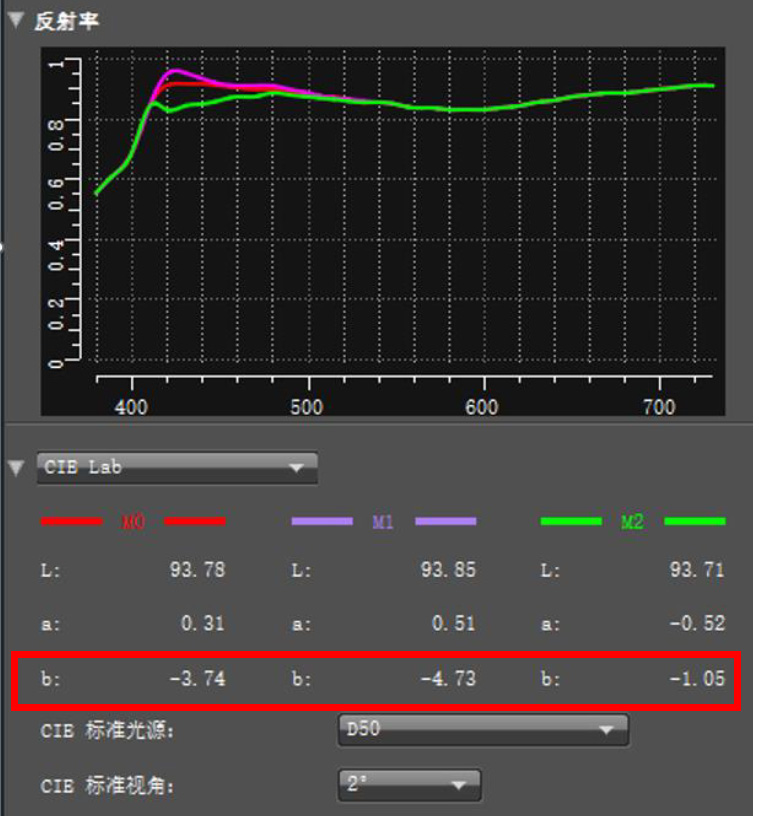
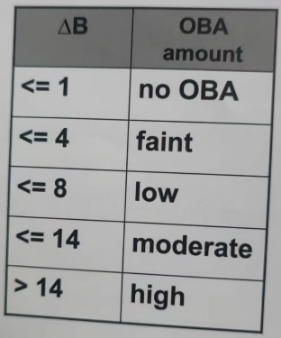
Calculation method: Subtract M0 b value from M2 b value. If the difference is greater than 4, it indicates that the paper contains a small amount of OBA. M2 is selected as the measurement mode for the testing process. If the difference is less than 4, M1 or M0 is selected as the measurement mode
1.2 Four color matching process
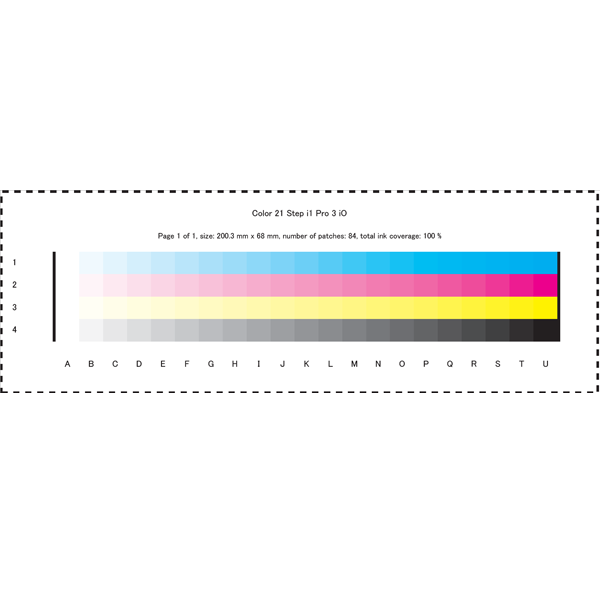
1. linearization
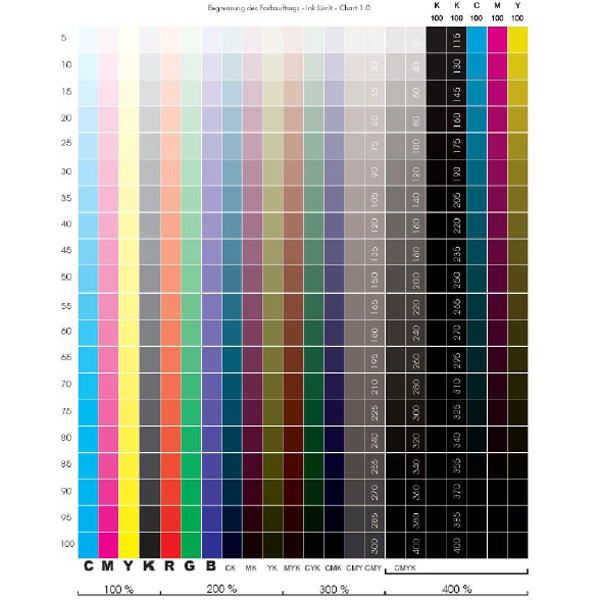
2. Ink volume control
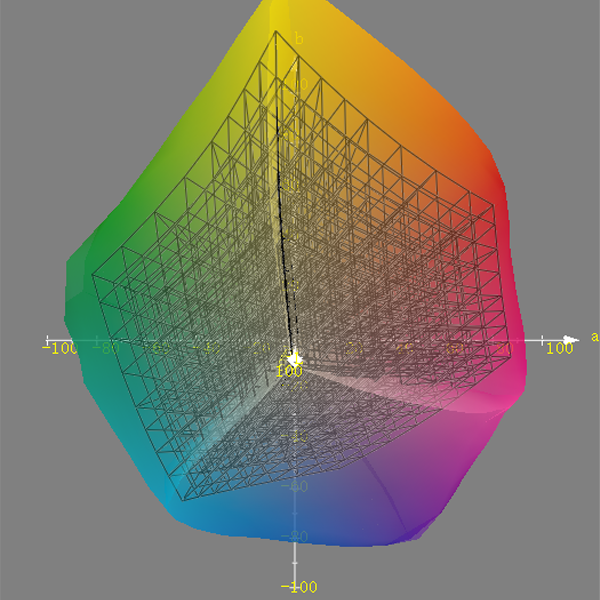
3. Obtain the maximum color gamut of the printer Establish a mapping relationship with the target ICC
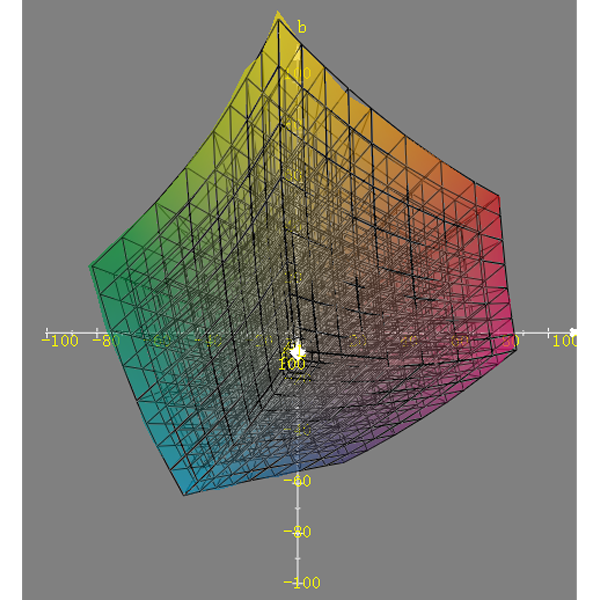
4. Software second iteration
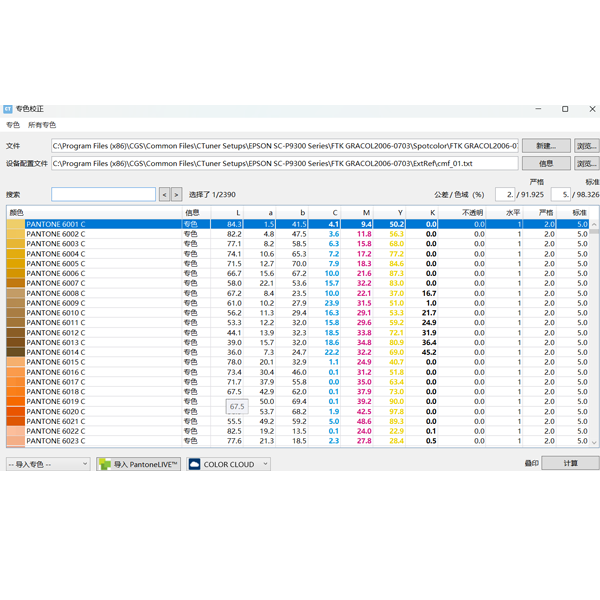
5. Spot color correction
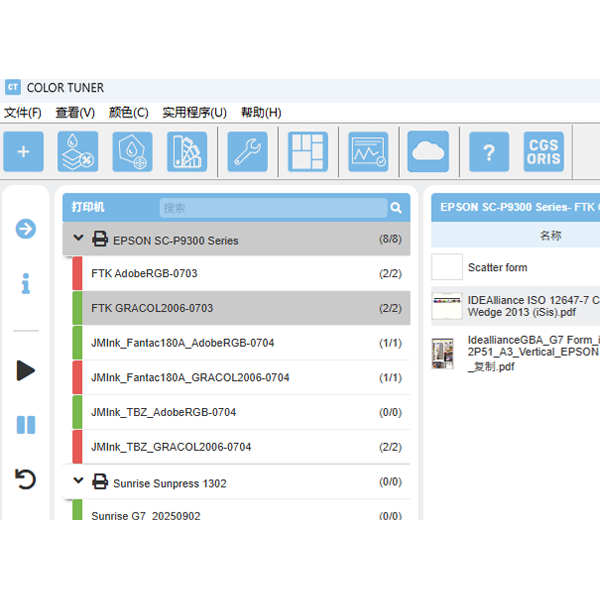
6. Match completed
2. EPSON P9380 printer Jun code ink matching Gracol2006 standard
Printing Material: FANTAC UH180A Digital Sample Paper
2.1 Matching results
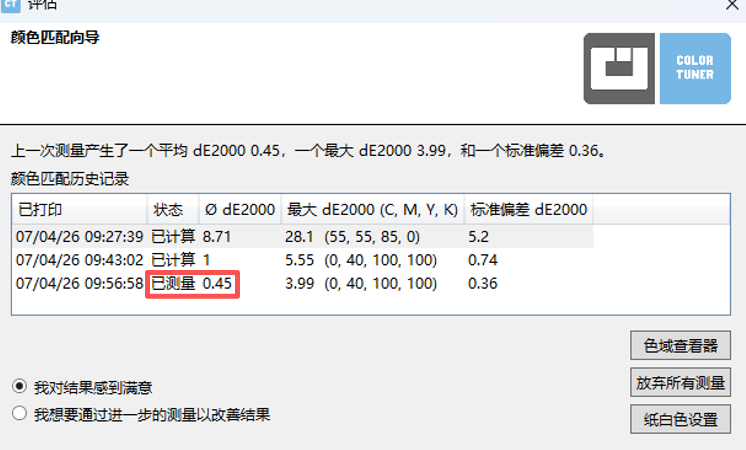
After two iterations of optimization, the average color difference DE is 0.45, which has a very good matching effect
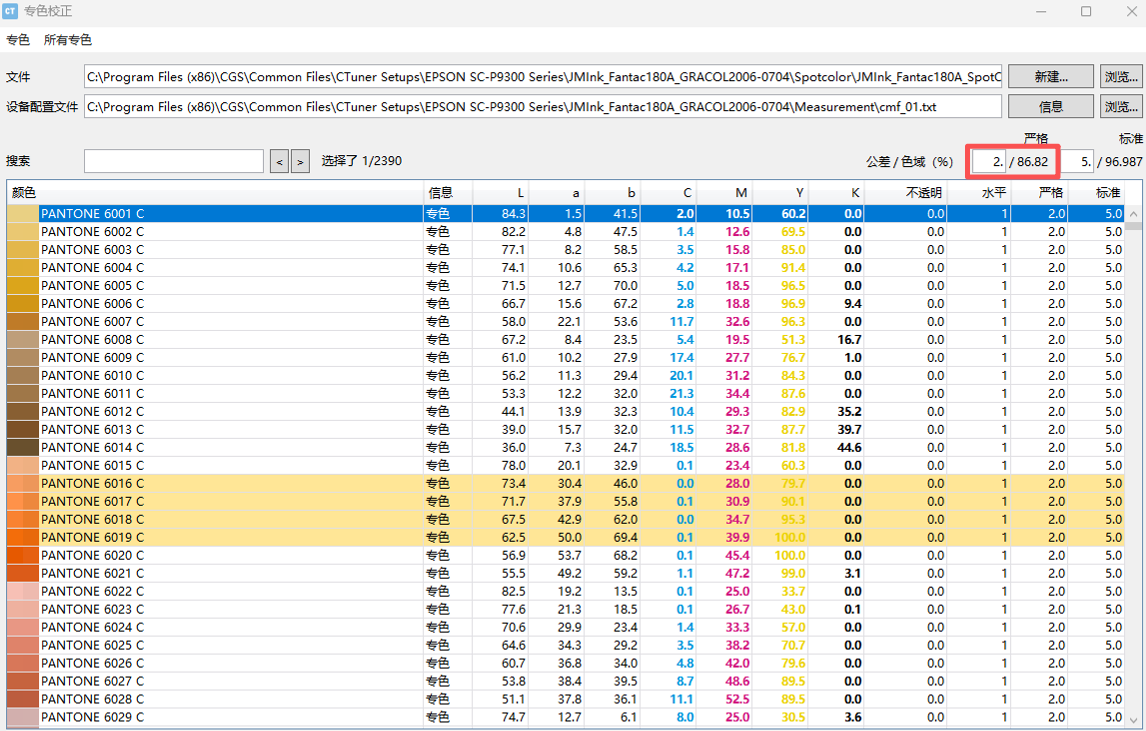
2.2 Spot color coverage rate
Pantone Coated V5 M0, 2390 spot colors, color difference within 2: 86.82%
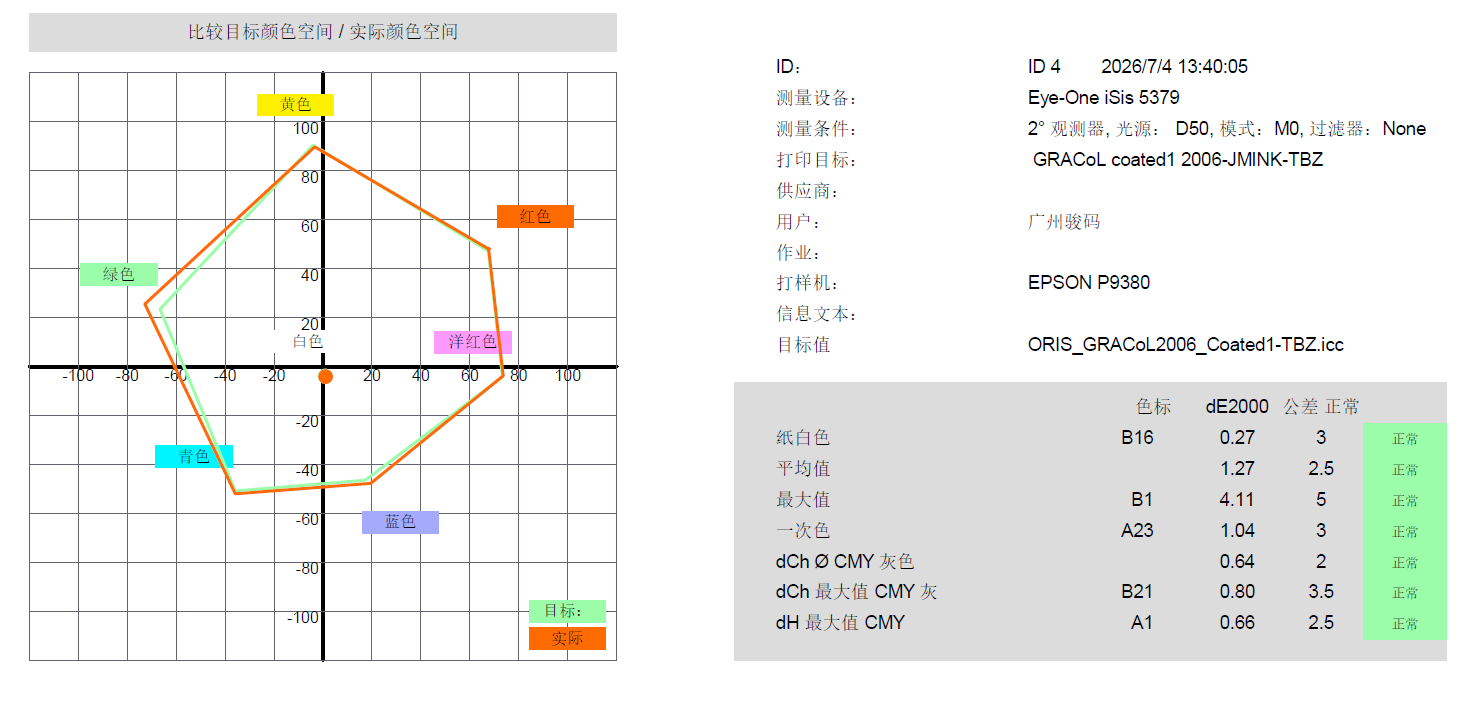
2.3 Data validation

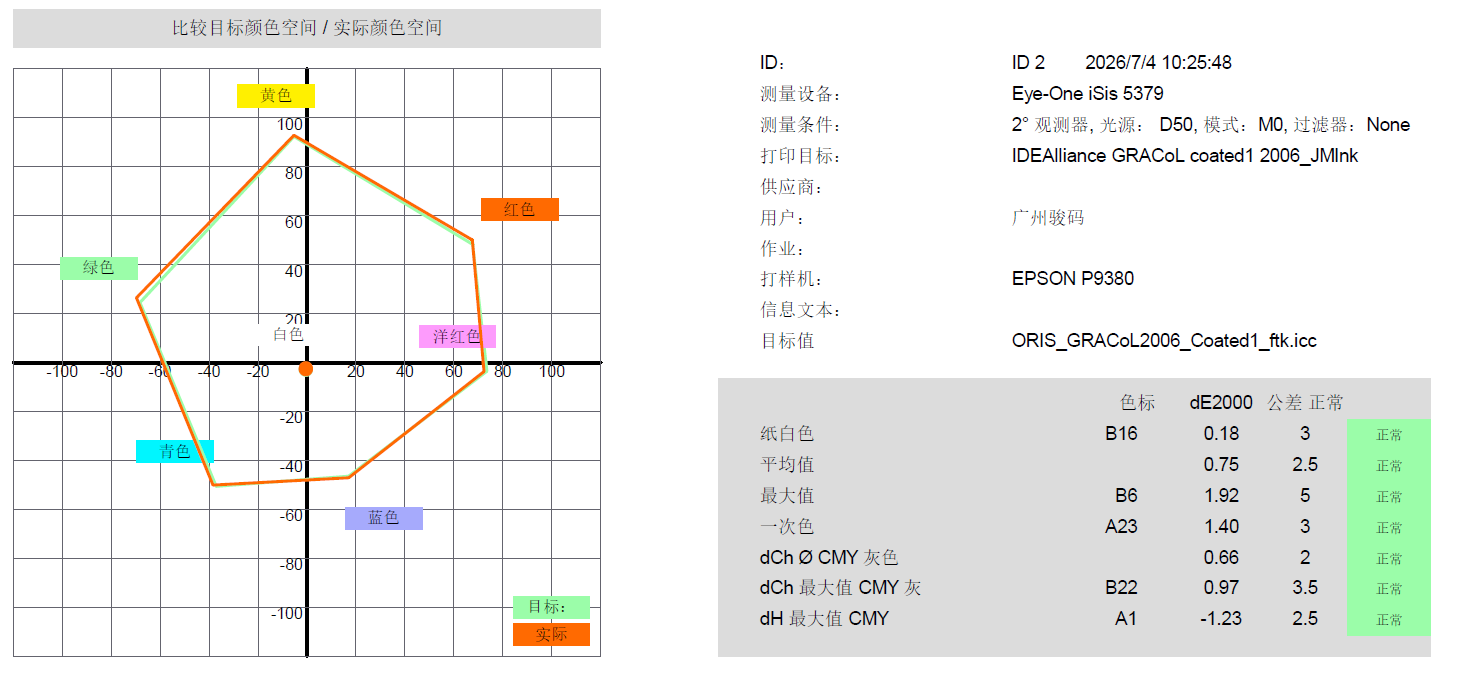
3. EPSON P9380 printer Jun code ink matching Gracol2006 standard
Printing material: Copperplate paper
3.1 Matching results
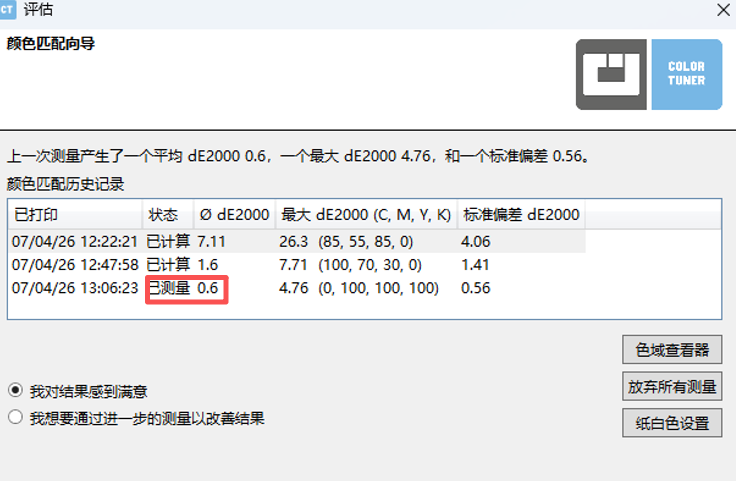
After two iterations of optimization, the average color difference DE is 0.6, and the matching effect is very good
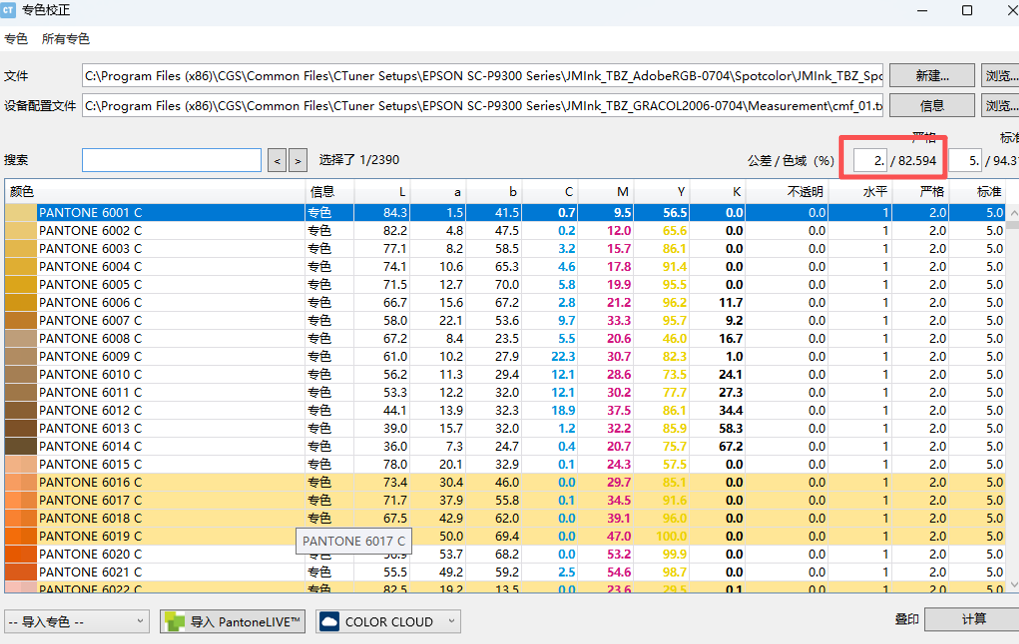
3.2 Spot color coverage rate
Pantone Coated V5 M0, 2390 spot colors, color difference within 2: 82.594%
3.3 Data Validation
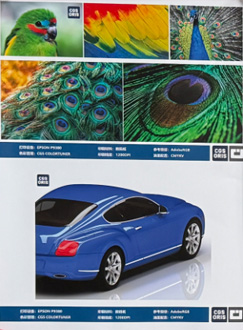
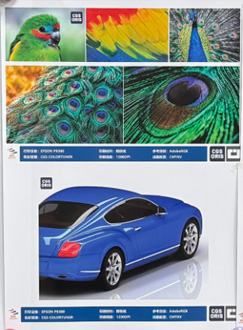
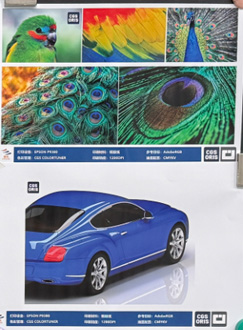
4. EPSON P9580 original ink (FTK paper), Junma ink (FTK paper), Junma ink (copperplate paper), matched with Gracol2006 standard, printing effect:
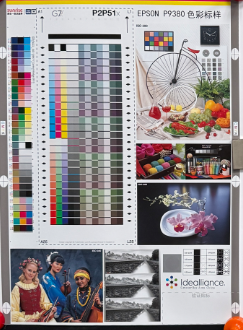
EPSON original ink FTK paper printing
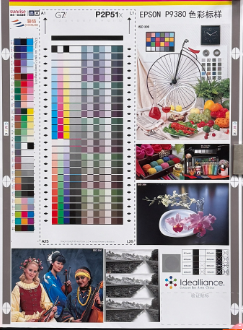
Junma Ink FTK Paper Printing
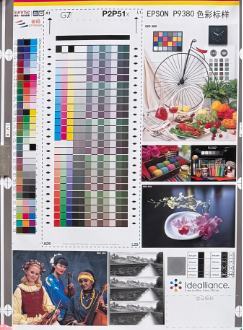
Junma Ink Copperplate Paper Printing
Testing Process - Ink Difference Analysis
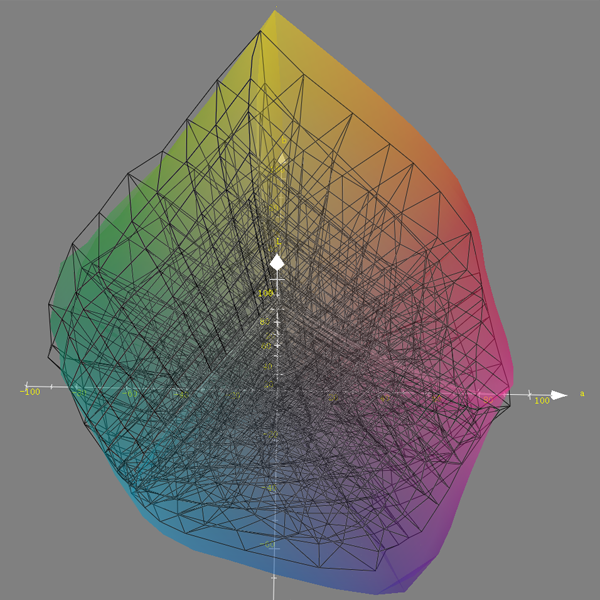
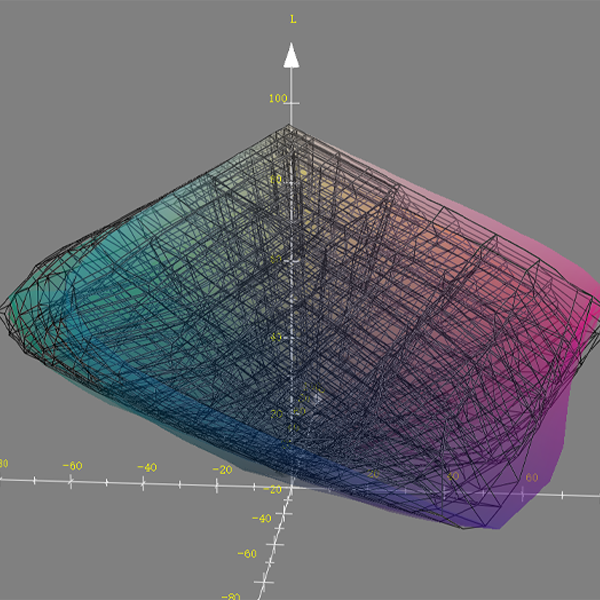
1. Maximum color gamut map
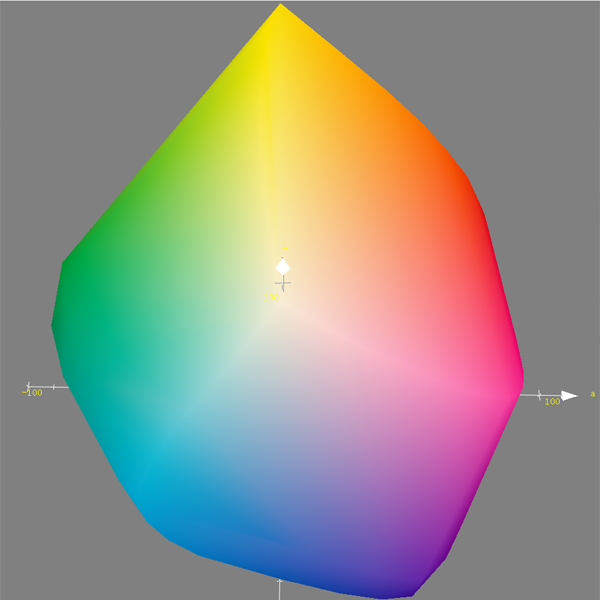
EPSON P9380 Original Ink
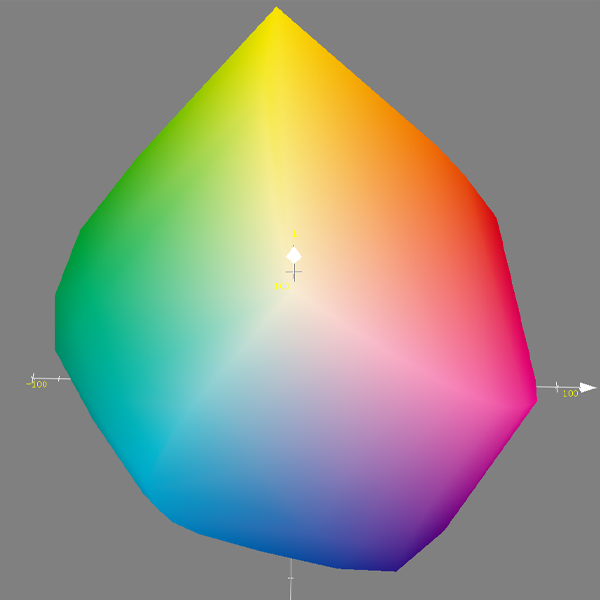
EPSON P9380 Junma Ink
2. Color gamut comparison
Color zone: EPSON P9380 original ink color gamut
Black line area: EPSON P9380 Junma ink color gamut
3. Data comparison and analysis
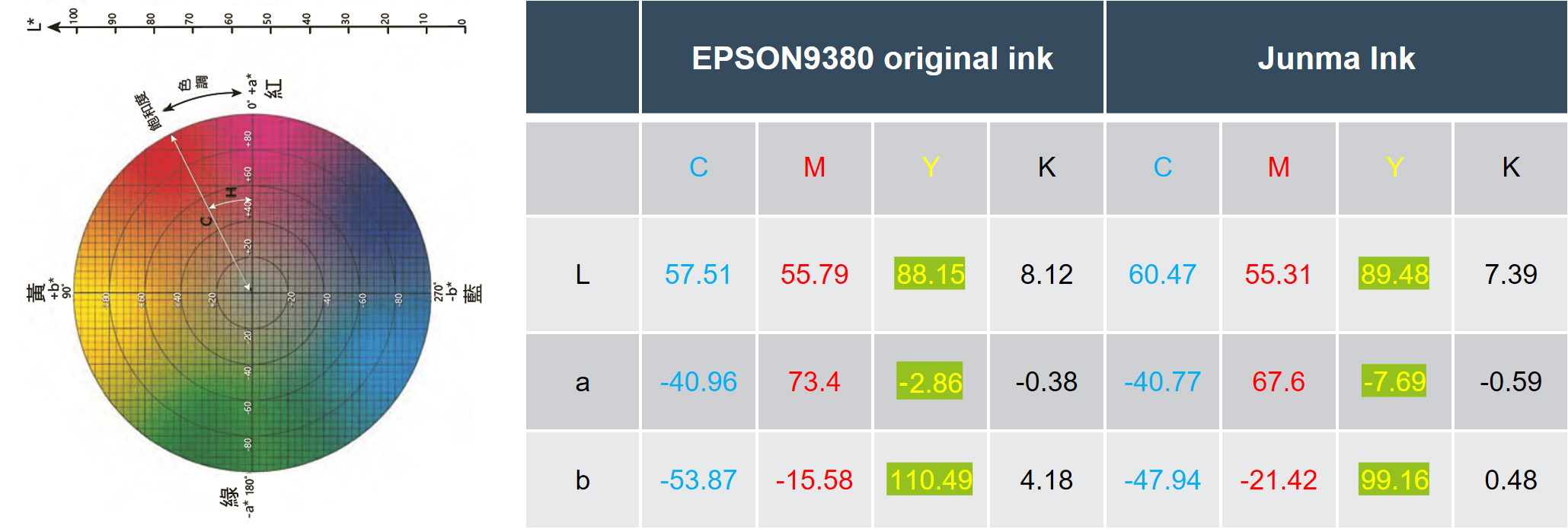
Can use EPSON P9380 original ink and Junma ink C100, M100, Y100, K100 Lab value, evaluate the direction and degree of differences between them.
Testing process - wide color gamut testing
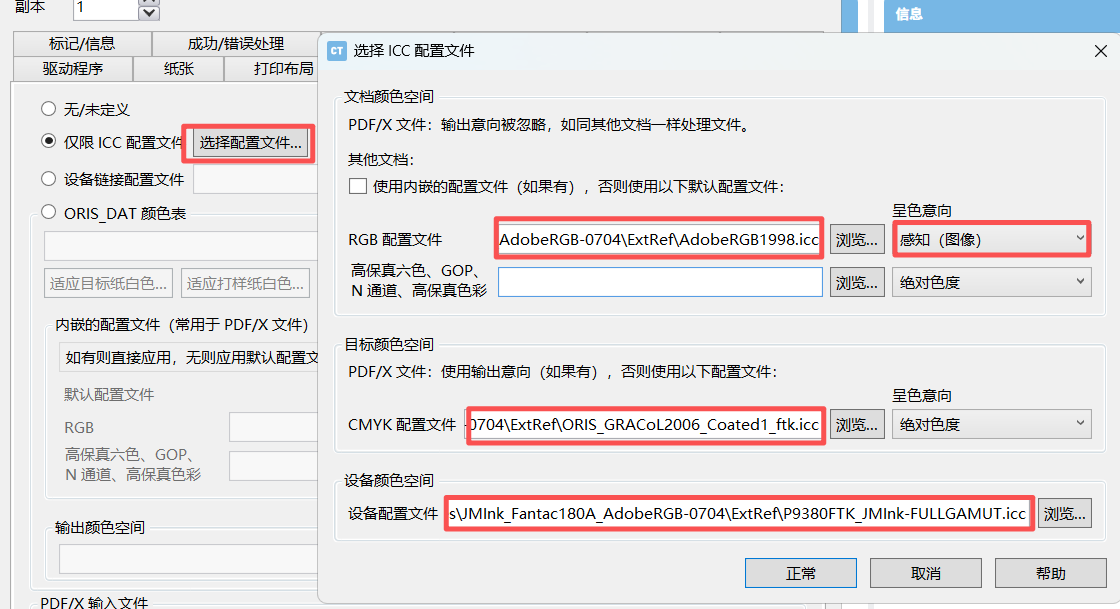
1. Simulate AdobeRGB using the maximum color gamut of EPSON P9380 printer
1. 1 Printing queue settings
2. Print files
EPSON original ink FTK paper printing
Junma Ink FTK Paper Printing
Junma Ink Copperplate Paper Printing